You ran a pop-up last weekend. Twenty-two tables, twenty-two menu links, and someone on your team was still copy-pasting into a one-at-a-time QR tool at 9 p.m. I've been there. It's miserable.
Zebralines is built for the opposite: a free QR code generator that reads your spreadsheet and gives you a whole batch at once—what people search for as a bulk QR code generator, batch QR code generator, or online bulk QR code generator, without installing desktop label software. Your rows stay in the browser while codes render. Nothing gets uploaded as a product catalog.
What you'll need
- A free Zebralines account (sign up here)
- A spreadsheet with at least one column of QR payloads (URLs, Wi‑Fi strings, short text—whatever you want scanned)
- A modern browser (Chrome, Safari, or Edge)
Grab our sample CSV if you want a head start.
Step 1 — Switch to bulk mode
Open the workspace in bulk mode. In the left sidebar, under Mode, click Bulk generation (not Single barcode).
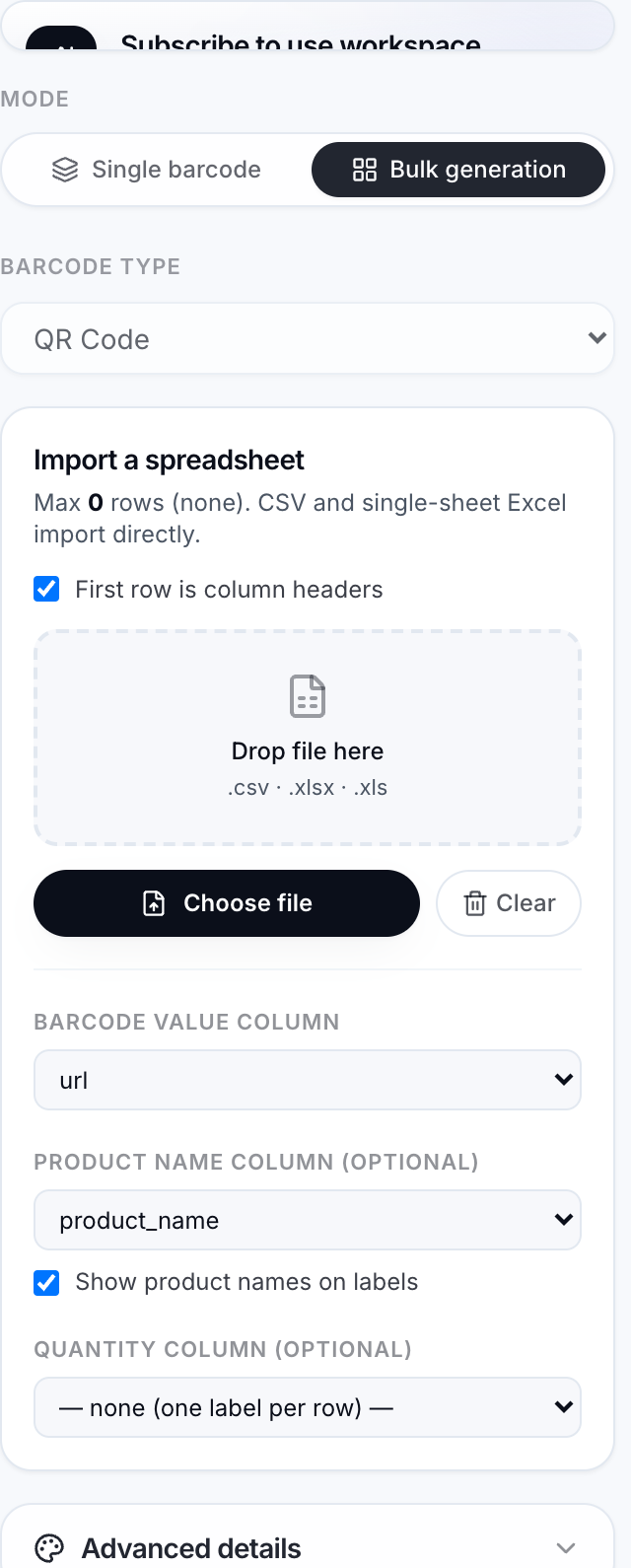
That's your bulk QR generator home base. Everything else happens from this screen.
Step 2 — Pick QR Code
Under Barcode type, choose QR Code. You're not stuck with web links—you can encode menu URLs, WIFI:T:... guest-network strings, or plain text like BOOTH-A14 for trade-show badges.

If you've only ever made retail barcodes here, this dropdown is the switch that turns the tool into a qr bulk generator for marketing and ops work.
Step 3 — Build your spreadsheet (Excel works)
One column for the data that goes inside the QR. A second column is optional—for a name printed under the code (table number, SKU, attendee name).
url,product_name
https://yoursite.com/menu-table-1,Table 1
https://yoursite.com/menu-table-2,Table 2
https://yoursite.com/menu-table-3,Table 3
Name the URL column url or link if you can. Zebralines guesses your mapping faster when headers look obvious.
Saving as .xlsx? Fine—that's the QR code generator from Excel path. Upload the workbook; if it has multiple sheets, you'll pick the right tab after import.
Real-world examples that work well in bulk:
- Farmers market — one QR per vendor pointing at that day's price PDF
- Conference badges — attendee ID in the QR, name printed underneath
- Product inserts — warranty registration URL per SKU in column A, product name in column B
You don't need a perfect template on day one. Start messy, fix headers, re-import.
Step 4 — Import and map columns
Drag your file onto the import panel (or click to browse). CSV and Excel both work.
Check the dropdowns:
- Data column → the cells that become QR payloads (your URLs or text)
- Label column → optional text under each code
- Quantity column → only if one row should print multiple identical codes (think "print 50 of this SKU")
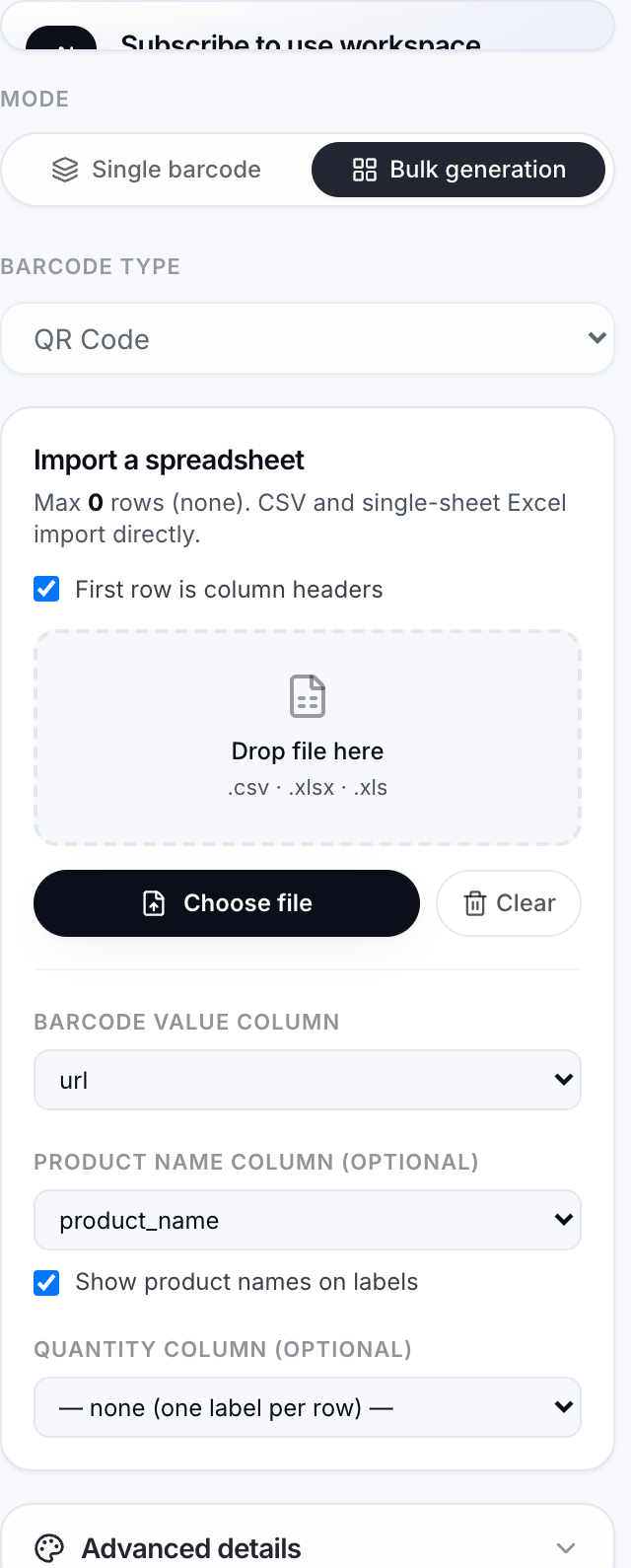
Fix anything the auto-mapper got wrong. When the preview grid fills in, you're ready to bulk create QR codes for real.
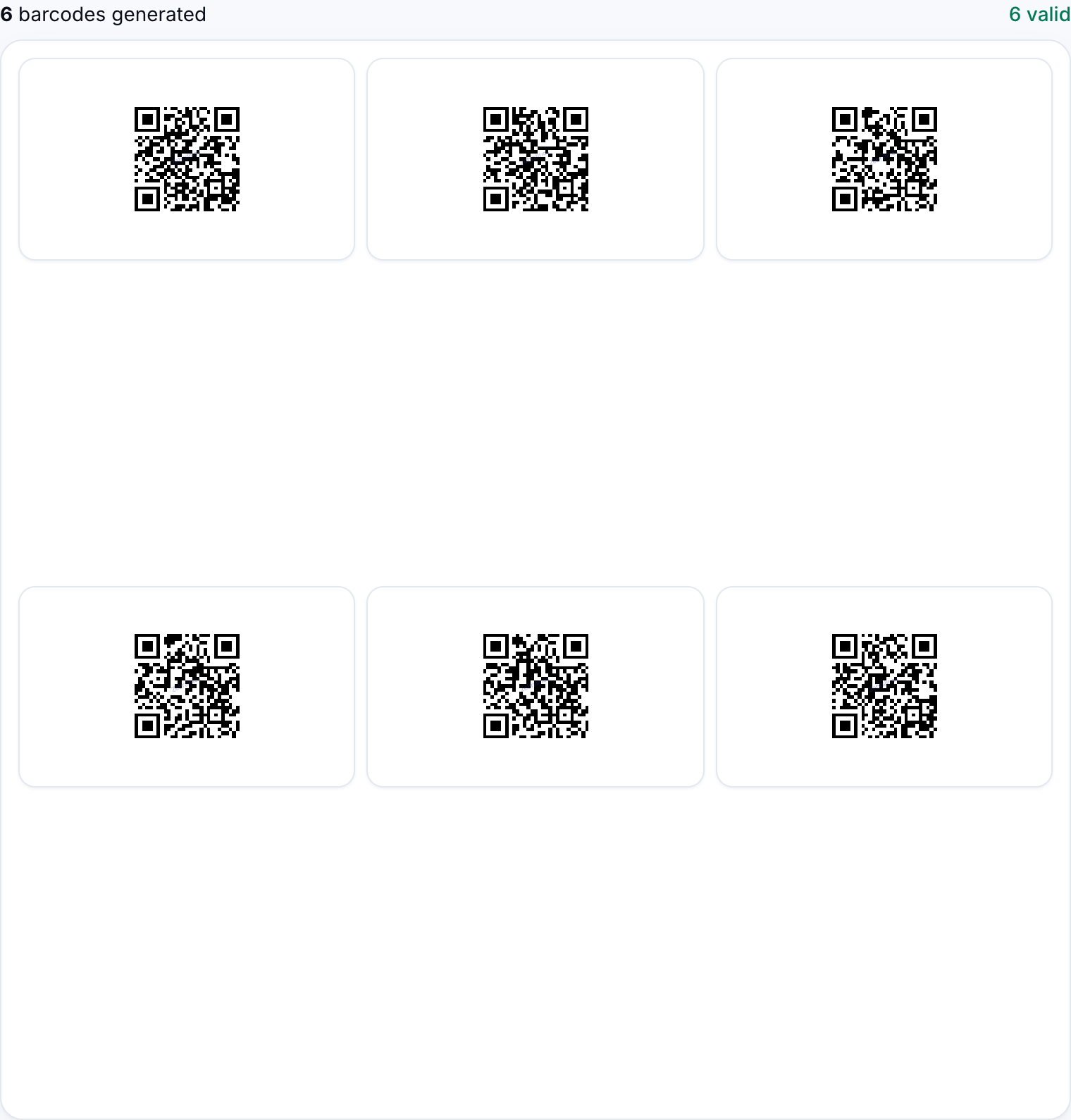
Invalid rows show up in a separate panel so you can fix the sheet instead of guessing which line failed.
Tip: scan one preview QR with your phone before you export the whole run. One bad http:// typo is easier to catch at row 4 than on two hundred printed tent cards.
Step 5 — Download your batch
Scroll to Bulk export on the right. For most free accounts, ZIP (PNG) is the move—you'll get one file per row, named in a sensible pattern, ready for Canva, Word, or your print shop.
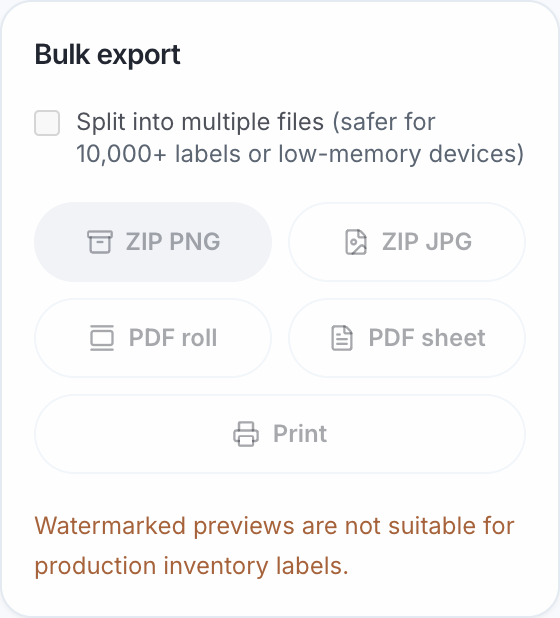
Sign in on a free account and you'll see exactly what's included—how many rows you can import per sheet, which export buttons light up, and your usage for the month—right in the workspace and on pricing. We're not going to pretend free is unlimited; we'd rather you see the real caps where you actually work.
That's also what makes this a legit bulk QR code generator free option for small teams: you can run a real job, download files, and only pay if the workflow sticks.
When you outgrow free
Starter and Professional plans are there when you're labeling full catalogs every week—higher volume imports, SVG/PDF roll exports, and browser print. You don't have to decide today. Run a batch on free first; you'll know in ten minutes if it fits.
Ready? Open bulk mode, import your sheet, and generate bulk QR codes before your next event ships.